V0.3 Public Preview · macOS (Apple Silicon)
Review every change your agents make to Markdown.

MarginPost watches a local Markdown folder and turns edits from coding agents and scripts into a review inbox. See what changed in reading context, keep what works, and restore any earlier version.

Free and open source (Apache-2.0). No account. Works offline.
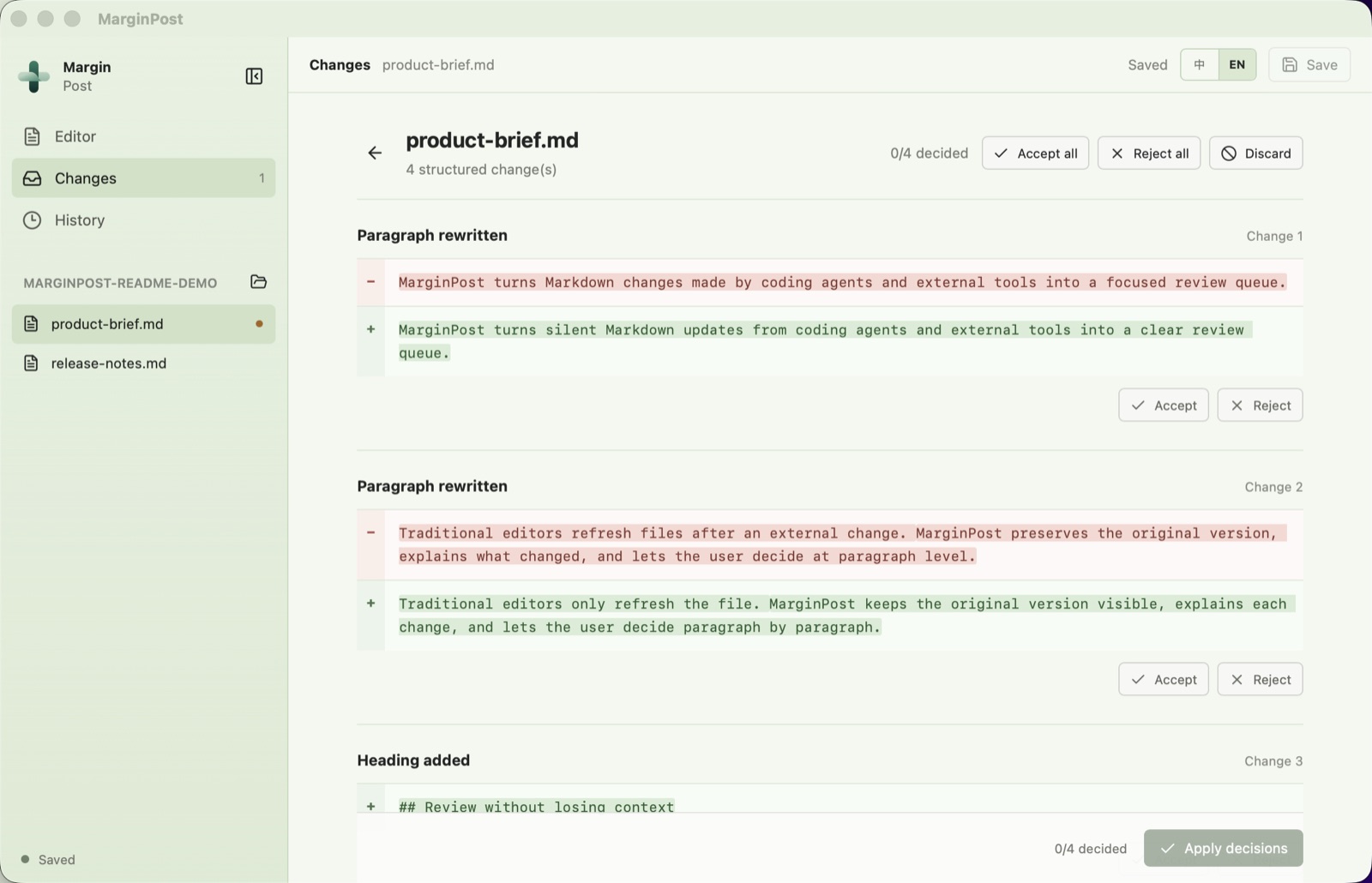
MarginPost review screen showing four paragraph-level changes with Accept and Reject buttons

A diff is not a review.

Editors know when a file changed. Code tools can show a line diff. Neither is built for people reviewing articles, notes, and product documents that agents rewrite throughout the day. The hard part is not detecting the change. It is deciding which parts to keep, and knowing you can get back.

Changes wait for you

External edits land in a persistent inbox. Nothing steals focus or forces an immediate reload decision.

Prose, reviewed as prose

Rewritten headings, paragraphs, lists, and quotes are compared by Markdown structure, not by raw lines.

Every decision is recoverable

Each resolved change leaves a local version you can compare and restore, with no Git knowledge needed.

How it works

Four steps, and only the last one needs you.

1

Open a folder

Point MarginPost at any local Markdown workspace.

2

Keep writing

Use it as a calm editor, or leave it running in the background.

3

Let agents edit

Claude Code, Codex, scripts, or any tool that writes files.

4

Review the inbox

Accept, reject, or restore, one change or the whole set.

Keep editing in the same place.

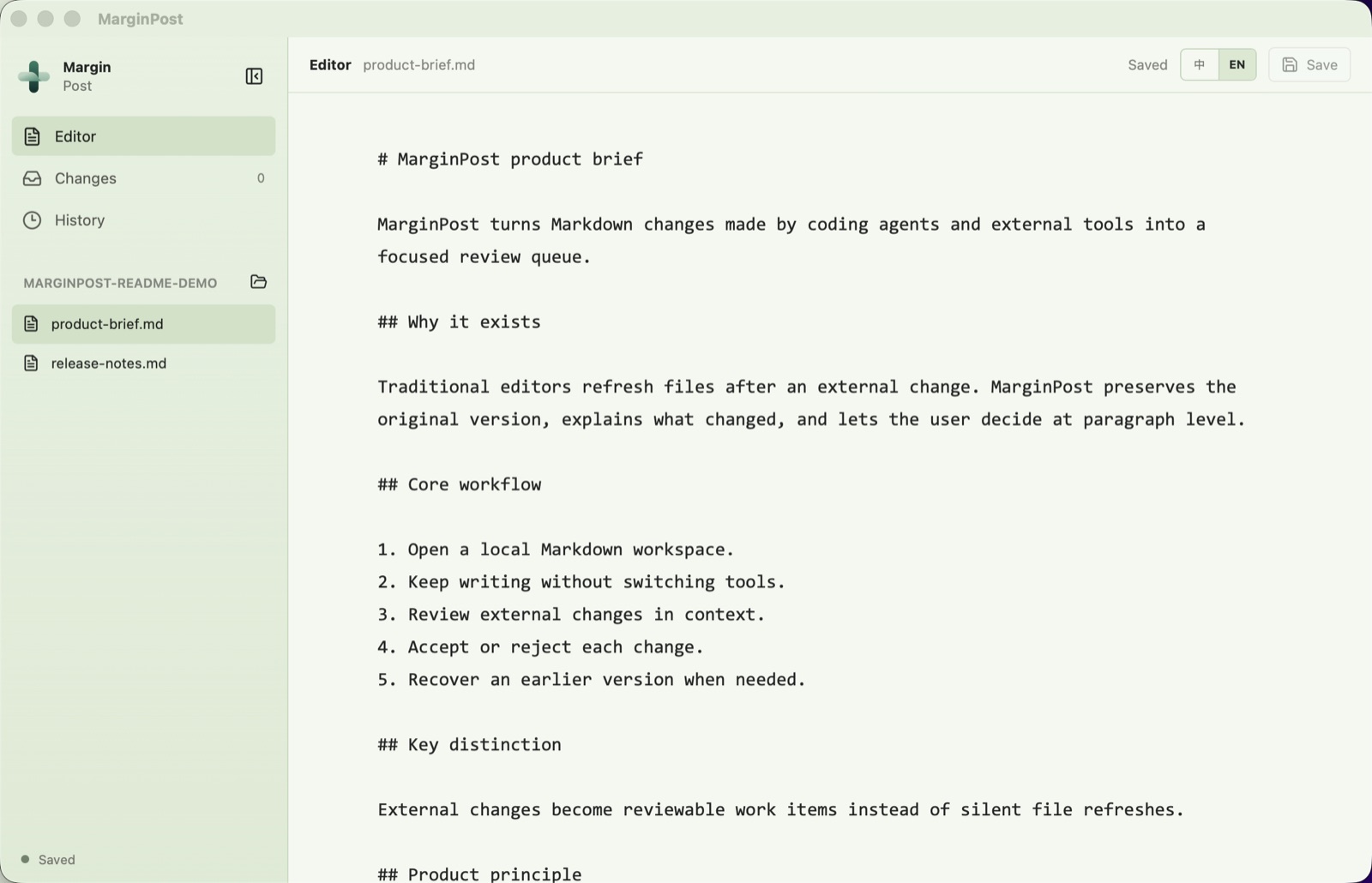
With no pending changes, MarginPost is a quiet Markdown editor that reopens your last workspace, file, and cursor position. When an agent writes, a single counter appears. The rest of your screen stays put.

  • Detects edits, creations, deletions, and renames
  • Protects what you are typing if the same file changes underneath you
  • Search across the whole workspace
MarginPost Markdown editor with a file list and Changes counter

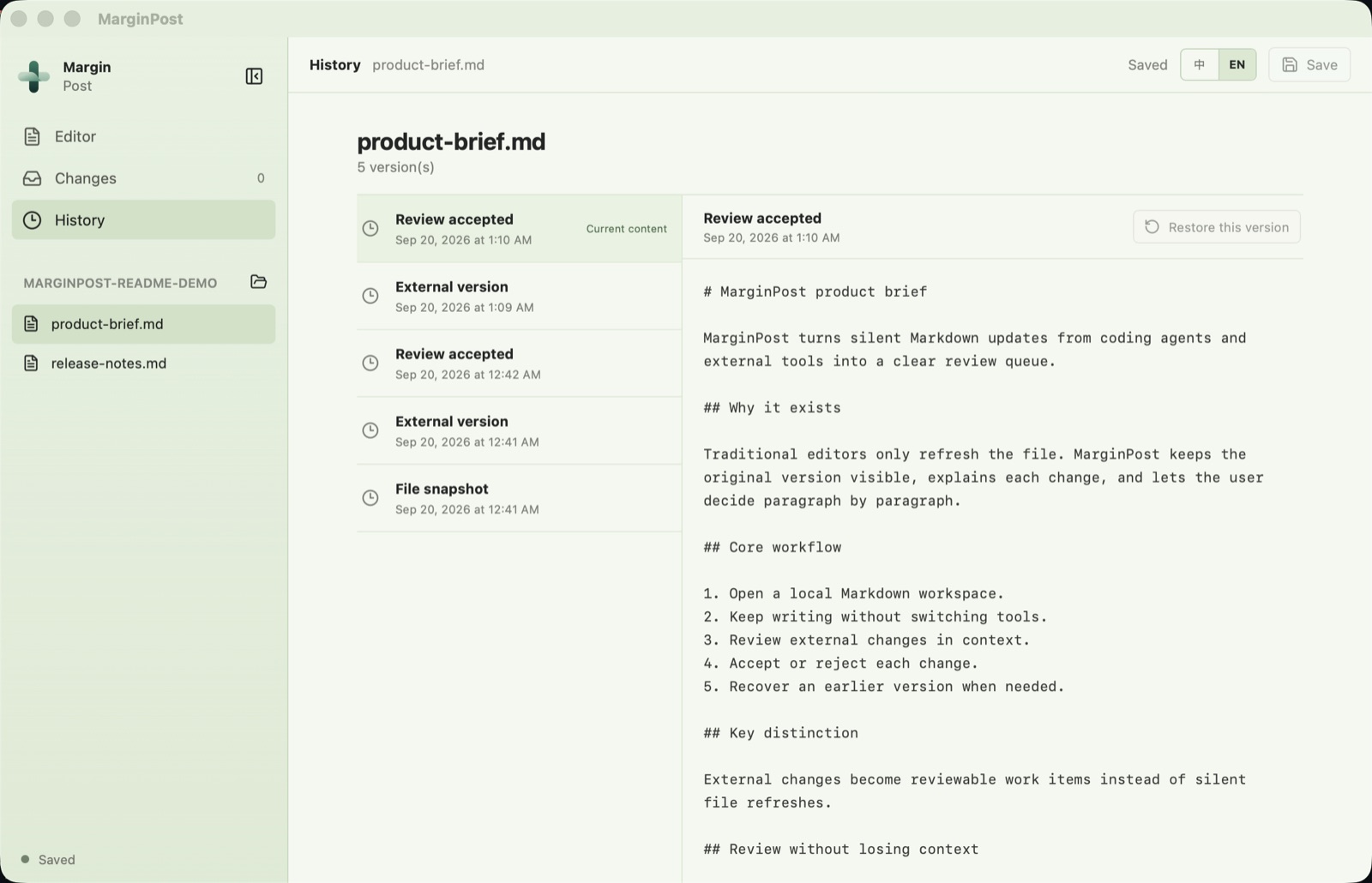
Go back to any version.

Every accepted, rejected, or restored change is recorded in a local history. Compare adjacent versions structurally, and restore with confidence: restoring first preserves the current content and records the restore itself.

  • Local SQLite history, no cloud
  • Undo your latest decision
  • Stale and superseded changes are clearly marked
MarginPost version history timeline with compare and restore

Install on macOS

The V0.3.0 preview is for Apple Silicon Macs. It is not yet signed with an Apple Developer ID or notarized, so macOS blocks the first launch. You only need to allow it once.

  1. Download the .dmg, open it, and drag MarginPost into Applications.
  2. Double-click MarginPost. When macOS says it cannot verify the app, close the warning with Done. Do not move it to the Trash.
  3. Open System Settings → Privacy & Security, scroll to Security, and click Open Anyway next to the MarginPost message.
  4. MarginPost opens. Later launches work normally.

Preview software. Please test with copies of non-critical Markdown files and keep backups of important work. Windows and Linux builds are not provided yet.

Optional: tell MarginPost which agent wrote a file

MarginPost does not guess who changed a file. A tool can self-report through a small local command, and the label appears next to the change. Unreported changes stay labeled as external. See Agent Hooks.

agent-markdown-reviewer --marginpost-attribute "Claude Code" "/abs/path/to/file.md"
agent-markdown-reviewer --marginpost-notify "Claude Code"

Questions

Does it send my files anywhere?

No. There are no accounts, API keys, or network requirements. Your Markdown stays the source of truth on disk, and review history is stored locally.

Does it stop an agent from writing?

No. MarginPost is not a pre-write sandbox. External tools write first. MarginPost captures the resulting file change, verifies it again before applying a decision, and keeps the previous version so you can recover.

Which agents does it work with?

Any tool that modifies local Markdown files. Detection comes from the filesystem, so it does not depend on a specific product. Optional hooks add a self-reported source label.

Is it an AI writing tool?

No. It has no AI writing, cloud sync, or team collaboration. It is a review layer for changes other tools make.

What does it cost?

The V0.3 preview is free and open source under Apache-2.0. Future paid options, if any, will be announced here and on GitHub.

What about Windows and Linux?

Source validation runs in CI on both, but packaged apps are not provided and support is provisional. Watch the GitHub repository for updates.